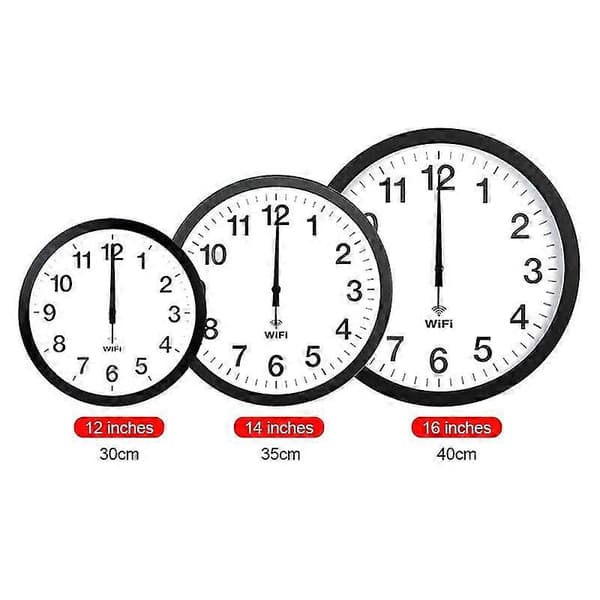
Automatic Time Synchronization Wifi Wall Clock 12 Inch
- Material metal shell, PVC mirror, ABS back panel, aluminum hands, 2
Dubbelkollat idag
Jämför 1 butik
- Fyndiq, 791 kr, frakt enligt butiken. Till butik (öppnas i ny flik)
I lagerFrakt: se butikenDubbelkollad 23:14
791 kr
Lägst

Priser från butikernas flöden kan ha ändrats: det är priset hos butiken som gäller, så kontrollera det innan du handlar.
Om produkten
Automatic Time Synchronization Wifi Wall Clock 12 Inch
Läs merLäs mindre
Smart Network Automatic Time Synchronization Wifi Wall Clock Modern Minimalist Silent Living Room Clock\nDetails:\n1. Material: metal shell, PVC mirror, ABS back panel, aluminum hands\n2. Dimensions: 12 inch 30x30x4.1 cm, 14 inch 35x35x4.1 cm, 16 inch 40x40x4.5 cm\n3. Weight: 12 inch 1300 grams, 14 inch 1600 grams, 16 inch 2200 grams\n4. Power supply: 2 AA alkaline batteries (must be purchased separately)\n5. Applicable scenarios: living room, bedroom, study, office, etc.\n6. Features: beautiful and practical, painted hands, not easy to fade, uniform color, copper sleeve inlay, precise and firm, strong and durable, metal shell, aluminum alloy wire drawing process, exquisite workmanship, strong metal texture, WIFI automatic time synchronization, 0 am- 6 am the second hand automatically stops to save power\nInstructions:\n1. When using it for the first time, first turn on the mobile phone's wifi and pull out the white positioning pin on the back of the clock\n2. Click on the phone \"Settings\"-\"Connections\"-\"WLAN\"\n3. Insert the battery, after about 5 seconds, \"wificlock\" will appear in the \"WLAN list\" for 30 seconds\n4. If \"wifi-clock\" does not appear, you can press the \"MSET\" button on the back of the clock (press and hold for about 5 seconds, repeat several times)\n5. Click on wifi-clock\n6. Follow the prompts to set up wifi\n7. If you cannot set up wifi, you can click on \"wifi-clock\", then click on \"manage router\", or open \"192.168.4.1\" with your mobile browser and then set up wifi\n8. After setting, the three hands will quickly return to zero and then automatically go to the correct time\n9. After wifi is set, if you reinstall the battery without resetting wifi, the hand will automatically go to the correct time\n10. If the time is not correct, you can press and hold REC to make the hand quickly return to zero and then adjust the time again, or reinstall the battery\n11. Press and hold MSET, you can reset wifi, automatic time and time zone
Specifikationer
Fakta
- Material
- metal shell, PVC mirror, ABS back panel, aluminum hands, 2
Uppgifter från tillverkare och butiker.